
INVENTORY MANAGEMENT
Know what’s in stock.
Know what can move.
Give your team a shared view of available stock. Connect the goods you receive, the packs you prepare and the orders you dispatch.
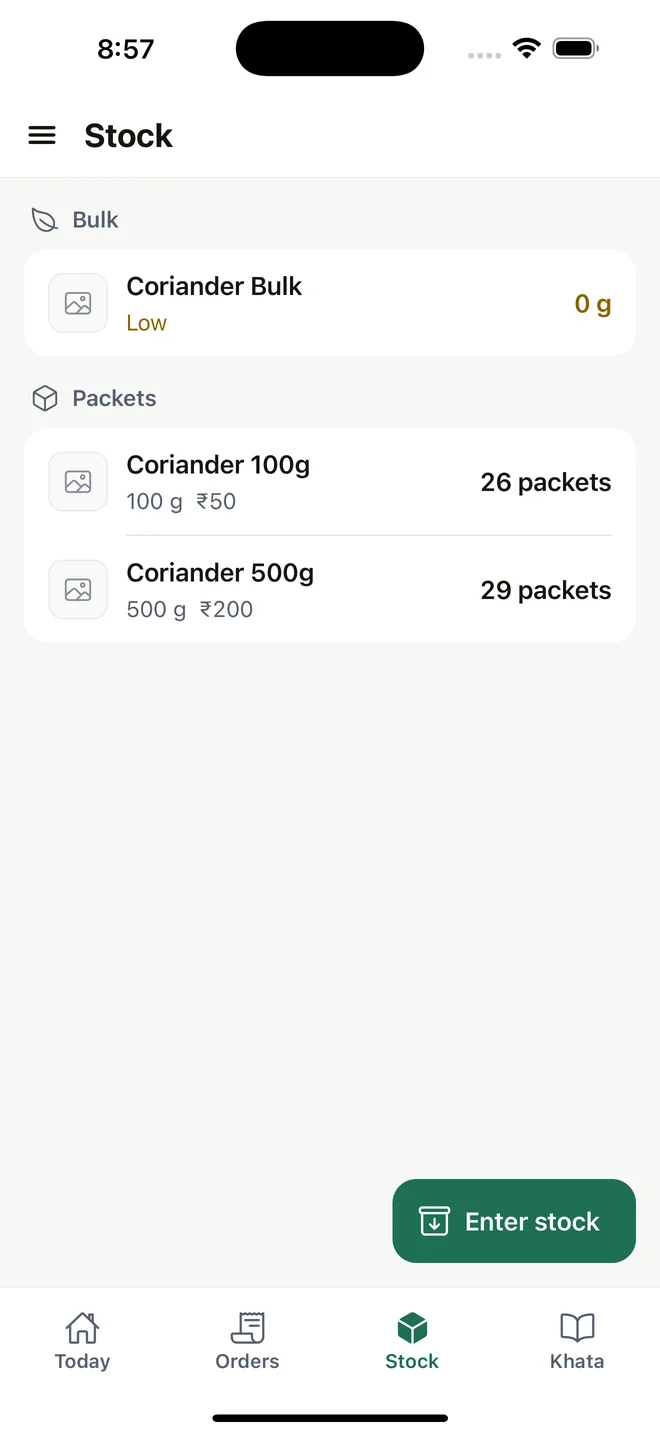
Current regional interface; amounts remain in INR.
01 / THE WORKFLOW
Start with the stock you actually hold
Create products measured by weight, volume or pieces. Add the pack sizes you sell and enter opening stock after a physical count. Bulk materials and packed products remain separate, so loose stock does not look like a finished pack.
02 / THE WORKFLOW
Follow the movement, not another spreadsheet
Received supplier purchases add to bulk stock. Packing consumes bulk materials and adds finished packets. Stock leaves when an order is dispatched, giving each stage a specific record.
03 / THE WORKFLOW
Spot items that need attention
Set a low-stock level for a bulk product and see its low-stock flag when the balance reaches that level. Owners and managers can inspect movement history and enter stock corrections.
04 / THE WORKFLOW
An example beyond the warehouse shelf
A wellness retailer might hold liquid soap in bulk and sell smaller bottles. Record the actual filling run, including wastage, then see remaining bulk and prepared bottles separately. This is stock administration, without claims about clinical or regulated workflows.
Useful answers
Does this manage multiple locations?
The current stock workflow is for one business stock pool. It does not track separate warehouse or store-location inventories.
Which units can I use?
Weight (kilograms and grams), volume (liters and milliliters) and pieces. Check your catalog and pack sizes against the product workflow before setup.
Keep the workflow connected
Check the fit for your working day.
Review setup, platform access and current international limitations before choosing MyDukaan.
Setup & availability ↗