
BULK STOCK & PACKING
Make the work
between bulk and packs visible.
Buying stock and selling packs are different steps. Record the conversion so your team can see what is left in bulk and what is ready to go.
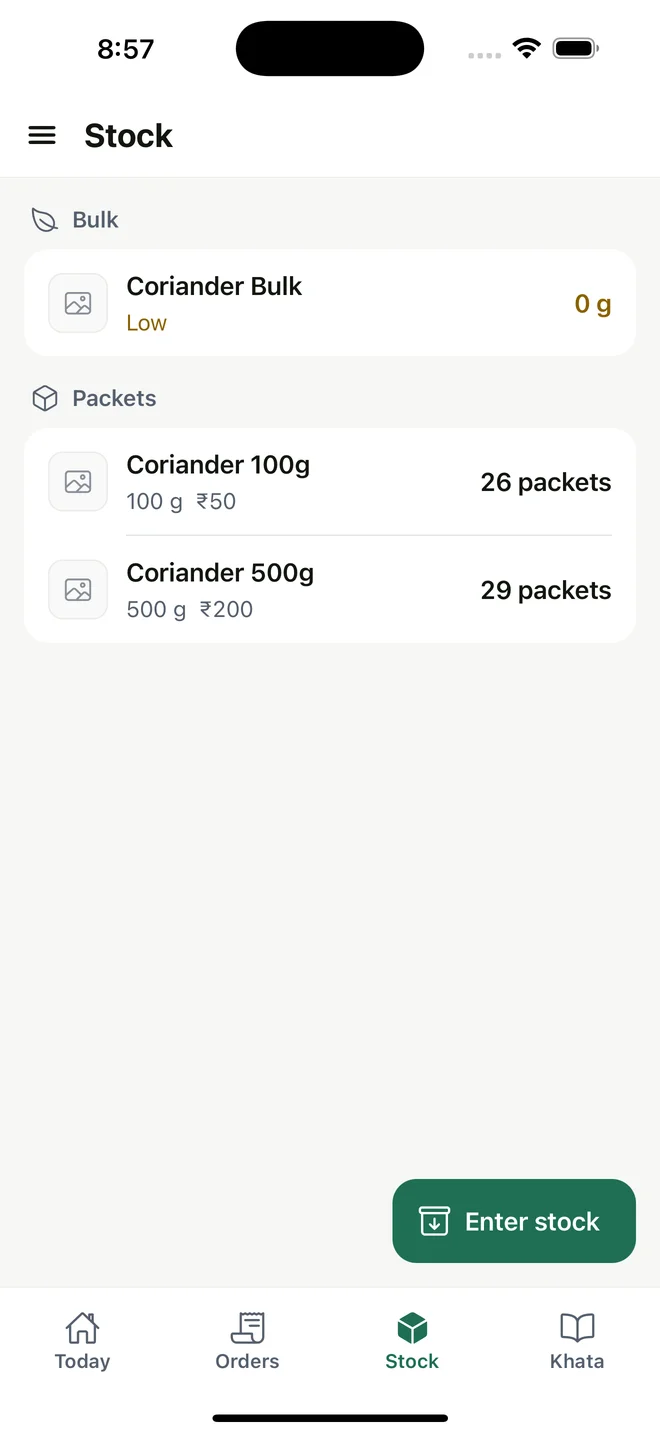
Current regional interface; amounts remain in INR.
01 / THE WORKFLOW
Set up the materials and the pack sizes
Create the material with its unit, then add the pack sizes you prepare. Weight, volume and pieces cover different physical workflows. Packing is useful where your business actually repackages goods; it does not have to define your entire operation.
02 / THE WORKFLOW
Record the result of the run
For example, turn 10 liters of bulk soap into thirty-nine 250 ml bottles, with 250 ml of wastage. The run reduces bulk by 10 liters and adds 39 prepared bottles. Use actual quantities rather than assuming every run has the same yield.
03 / THE WORKFLOW
Keep packing and dispatch distinct
Prepared packs are available stock. They leave the business stock record when the order is dispatched. Packers can record runs and mark orders packed, while dispatch belongs to owners, managers and delivery staff.
04 / THE WORKFLOW
Try the quantities before entering the workflow
The free bulk-to-packet calculator helps estimate whole packs, expected loss and reusable remainder. It is a standalone calculator and does not update product stock.
Keep the workflow connected
Check the fit for your working day.
Review setup, platform access and current international limitations before choosing MyDukaan.
Setup & availability ↗