
FOOD & BEVERAGE SUPPLIERS
From bulk ingredients
to the next delivery.
Connect received materials, prepared packs and customer orders. Give the team a record of what is available and what needs to go out.
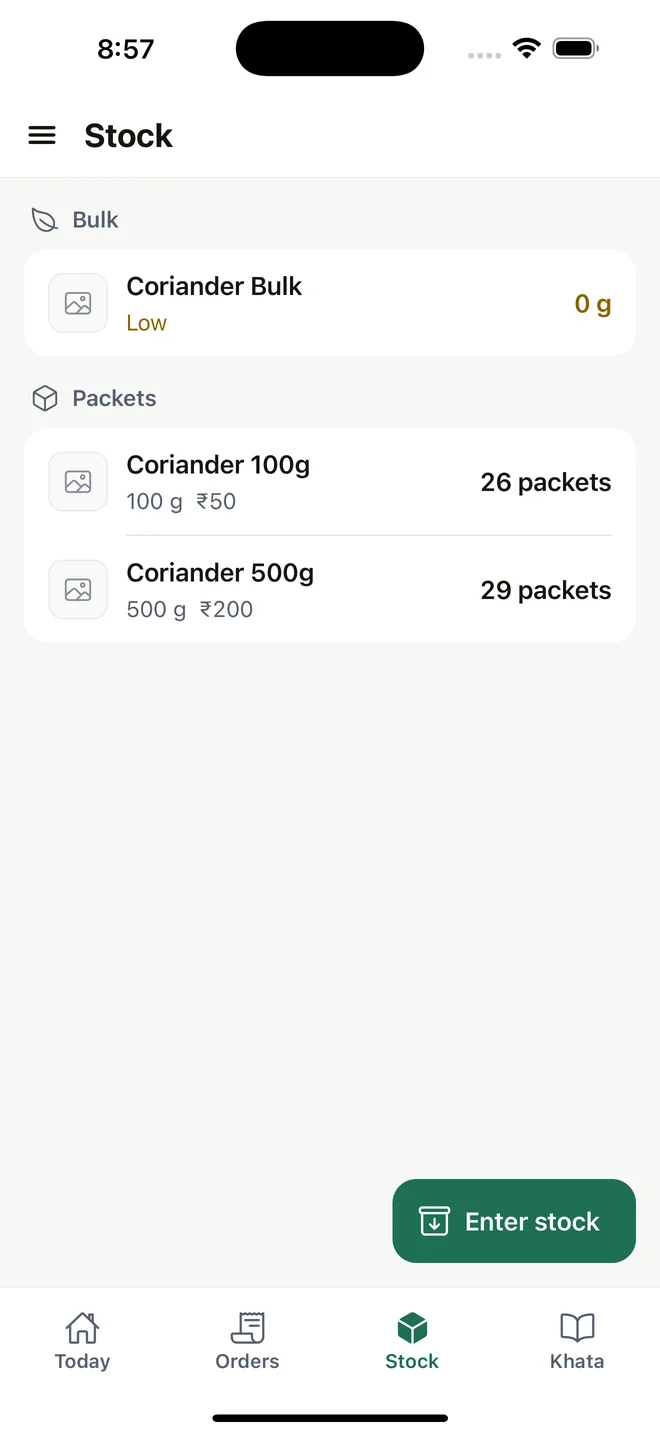
Current regional interface; amounts remain in INR.
01 / THE WORKFLOW
Keep bulk and finished packs distinct
A coffee supplier may buy bulk beans and prepare several pack sizes for retail customers. See remaining bulk separately from prepared packs instead of counting the same stock twice.
02 / THE WORKFLOW
Record the actual packing result
Record the input and output of a packing run, including wastage. A smaller-than-expected yield should have a record so the next order is based on the stock actually available.
03 / THE WORKFLOW
Manage repeat orders and customer balances
The owner maintains agreed customer prices. Managers enter orders, packers prepare them and delivery staff record dispatch and delivery. Review partial payments and outstanding balances against the customer account.
04 / THE WORKFLOW
Keep food-safety requirements separate
This is an inventory and business administration workflow. It does not provide lot traceability, batch and expiry management, cold-chain monitoring or food-safety certification. Evaluate those requirements separately before choosing your operating systems.
Keep the workflow connected
Check the fit for your working day.
Review setup, platform access and current international limitations before choosing MyDukaan.
Setup & availability ↗