
WHOLESALE INVENTORY
Promise stock
with a clearer picture.
For wholesalers who buy materials, prepare packs and supply repeat customers. Know the difference between stock in bulk, finished packs and goods already dispatched.
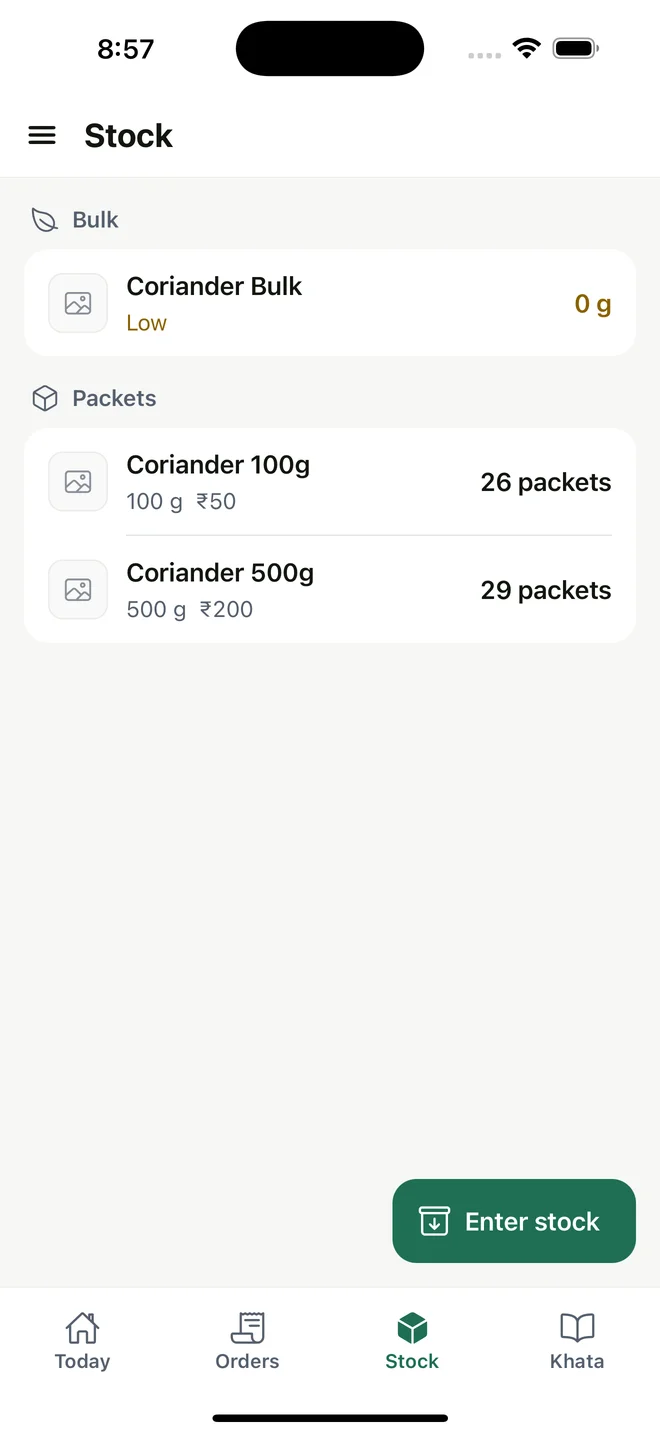
Current regional interface; amounts remain in INR.
01 / THE WORKFLOW
Count the bulk and the shelf separately
Start with opening counts. Keep bulk material quantities separate from each finished pack size. A carton of paper cups might be held in pieces, while coffee is held by weight.
02 / THE WORKFLOW
Use dispatch as the point stock leaves
Receiving a supplier purchase adds stock. Preparing packs moves bulk into finished products. Dispatching the customer order deducts the outgoing goods. Order placement alone does not deduct stock.
03 / THE WORKFLOW
A practical stock example
Start with 20 kg of coffee and twelve 500 g packs. Pack 5 kg into ten packs with no wastage: 15 kg of bulk and 22 packs remain. Dispatch six packs: bulk remains 15 kg and finished stock becomes 16 packs. Record any actual wastage in the packing run.
04 / THE WORKFLOW
Review exceptions before promising the next order
Use low-stock flags for bulk products and inspect movement history as an owner or manager. A single stock pool does not represent multiple warehouses; choose the workflow with that limitation in mind.
Keep the workflow connected
Check the fit for your working day.
Review setup, platform access and current international limitations before choosing MyDukaan.
Setup & availability ↗